Azure Local - 2610 adds post-deployment networking flexibility
Yet again, Cristian Edwards has highlighted a very practical Azure Local update 🙌 The important part of 2610 is not just a new deployment option: it gives existing deployments more room to adapt when proxy, security or connectivity requirements change.
Azure Local 2610 networking updates
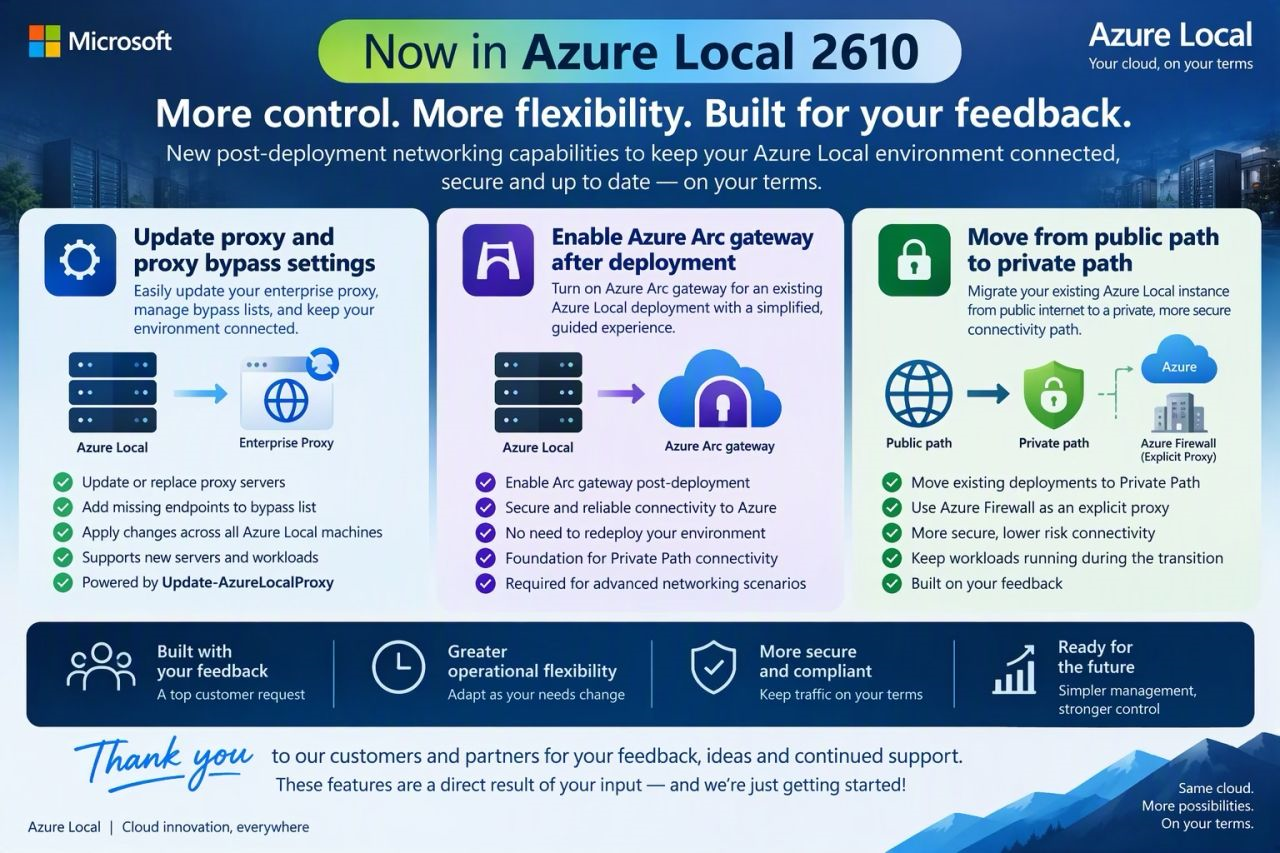
The 2610 release introduces three related post-deployment capabilities:
- Update proxy settings and bypass lists across an existing Azure Local instance.
- Enable Azure Arc gateway on an existing deployment, rather than having to start again.
- Move an existing deployment from public-path to private-path connectivity, using Azure Firewall explicit proxy and a private network connection.
Cristian made a great post again, and this graphic is his too 😊 Thanks for sharing it 😊
Official announcement
Cristian Edwards’ LinkedIn post on Azure Local 2610
Cristian’s post captures why this matters: real environments change after deployment. A proxy is replaced, a bypass endpoint was missed, or a network that once used public connectivity needs to move towards a private design. These are day-two operations, and being able to make them on an existing instance is much more useful than having to plan every possible future change on day one.
What changes in practice?
The fact that we can now change some of those painful settings POST deployment is a godsend 🤣 Massive win from Microsoft 😊
Update proxy settings after deployment
The new Update-AzureLocalProxy workflow can add, change or remove an enterprise proxy and update local proxy bypass settings across the Azure Local machines and Azure Arc resource bridge. That gives administrators a supported way to update the configuration as network requirements evolve.
Microsoft also documents a separate cloud-side gatewayBypass option for selected endpoints already allowed by Azure Arc gateway. This skips the gateway tunnel for those endpoints without changing the local proxy configuration. The two approaches act at different layers, so it is important to choose the right one for the traffic you need to change.
Enable Azure Arc gateway on an existing instance
Azure Arc gateway can now be enabled after deployment. It provides a common entry point for Azure Arc traffic to allowed endpoints and can reduce the number of outbound endpoints that need to be allowed through a firewall.
Transition to private-path connectivity
For organisations moving away from public internet egress, the 2610 workflow can migrate an existing deployment to the Azure Local private-path architecture. It uses Azure Firewall explicit proxy over private connectivity such as ExpressRoute or a site-to-site VPN.
The order matters: prepare the private connection, routing, firewall and application rules first; enable and validate Azure Arc gateway; then update the proxy configuration. Simply changing the proxy address does not create a private path and can interrupt outbound connectivity.
These post-deployment networking capabilities are preview features and require Azure Local 2610 or later.
There are operational caveats: in this preview, you can’t disable Azure Arc gateway after enabling it, and existing AKS clusters do not automatically receive proxy changes. Record the current proxy and bypass settings, plan and validate AKS separately, and keep the existing public path available until the private path is fully tested.
This is a great example of customer feedback leading to useful day-two improvements 😊 There is more involved in changing an established network path than flipping a setting, but having supported post-deployment workflows gives customers a much better way to adapt without redeploying their Azure Local environment.
Useful links
#Blog #Azure #Azure Local #Azure Local 2610 #Azure Arc #Networking